We offer a GraphQL API 🤓
PS: We also have a Norwegian version of this article.
Get started
1. Give your user access
Our API is user-based, so you access the API as the user you are in DigiTALL. Your integration will then have the same rights as the user you are logged in as. If you want your integration to have limited rights, you can create a new user with those rights.
We have two ways to provide access
- Create a key directly on a user
- Use OAuth2
Method 1, with a direct key, is the simplest and works well when:
- testing the API
- if you are creating an integration with little distribution,
- or you have good control over which users will use the integration.
Method 2, with OAuth2, is slightly more complicated to implement, and is best in those cases where the user himself should set up an integration you have created.
To turn on the API for a user with a direct key, do the following
- Go to Settings > Users.
- Select the correct user
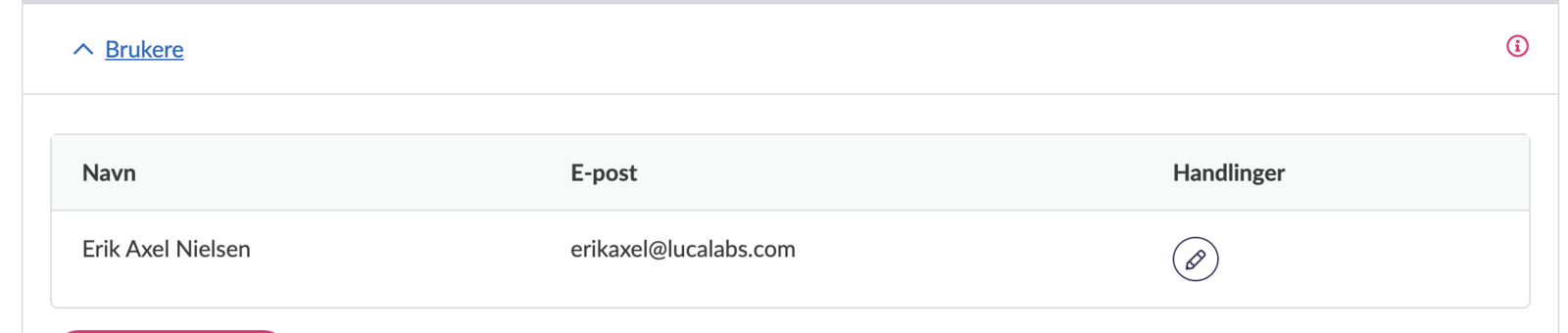
- Select Full access on API access

- Click save
Oauth2 setup is described in own article (in Norwegian)
2. Create API key
- Go to User settings (as the user who should have access)
- Click on “New Personal API Key”
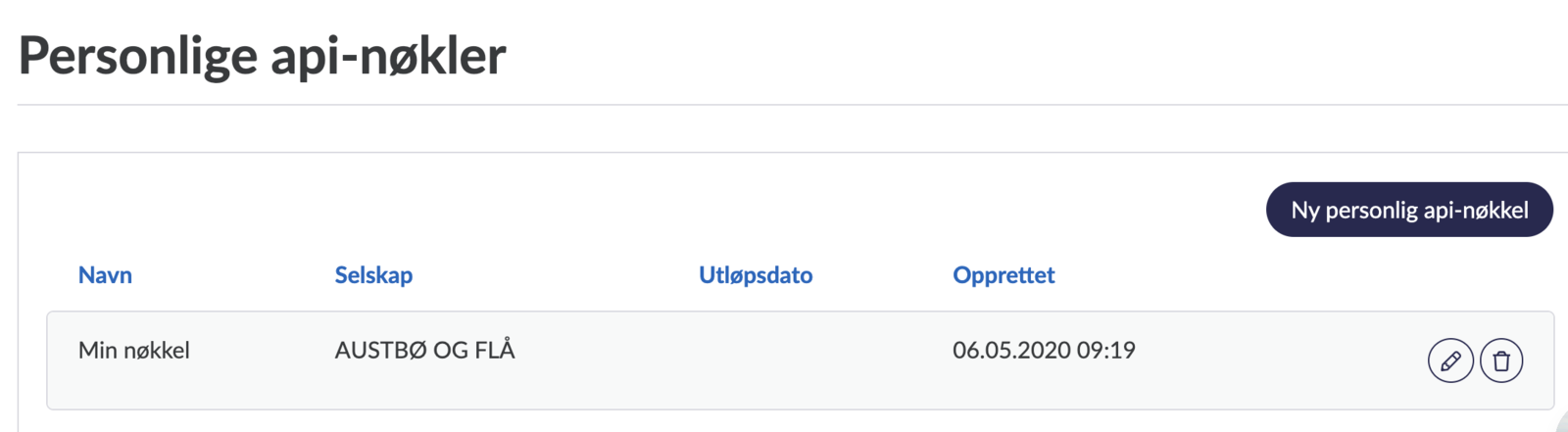
- Fill in Name (optional so you remember), expiry date (can be left blank if you wish) and which company it applies to (if you have several companies)
- Click save
- Save on the token that you then receive
3. Using the API key
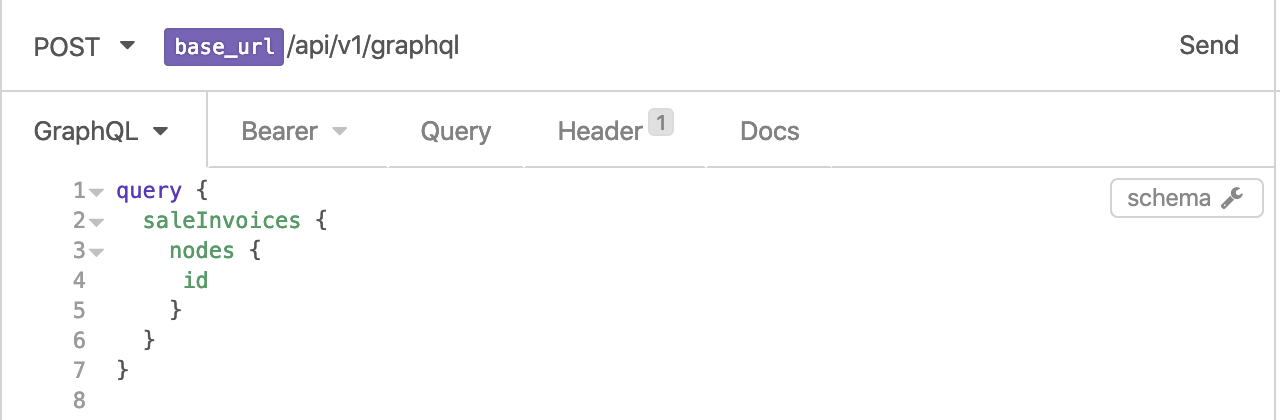
The GraphQL API can be found at /api/v1/graphql (eg https://digitall.lucalabs.com/api/v1/graphql for production access). You have to set the header Authorization to be Bearer JWT_TOKEN where JWT_TOKEN is the token created in step 2.
4. First example call
Now you should be able to run:
{ saleInvoices { nodes { id } } }
Documentation of available calls
You can use GraphQL’s built-in documentation server. Most API tools support this, e.g. in Insomnia,
press the schema button to pull up the documentation after you’ve set up:
Other API articles
- List of API functionality. (Norwegian)
- API pagination. (Norwegian)
Test server
Contact firmapost@digitall.no if you want to have access to our test server.